Account statement overview
An account statement shows a customer exactly what they owe on a unit rental, with every unpaid invoice itemized line by line. You can email it to the customer or download it as a PDF to mail or keep as a record. Use it when you need to show what is owed, such as rent, late fees, and overlock fees, instead of a single balance.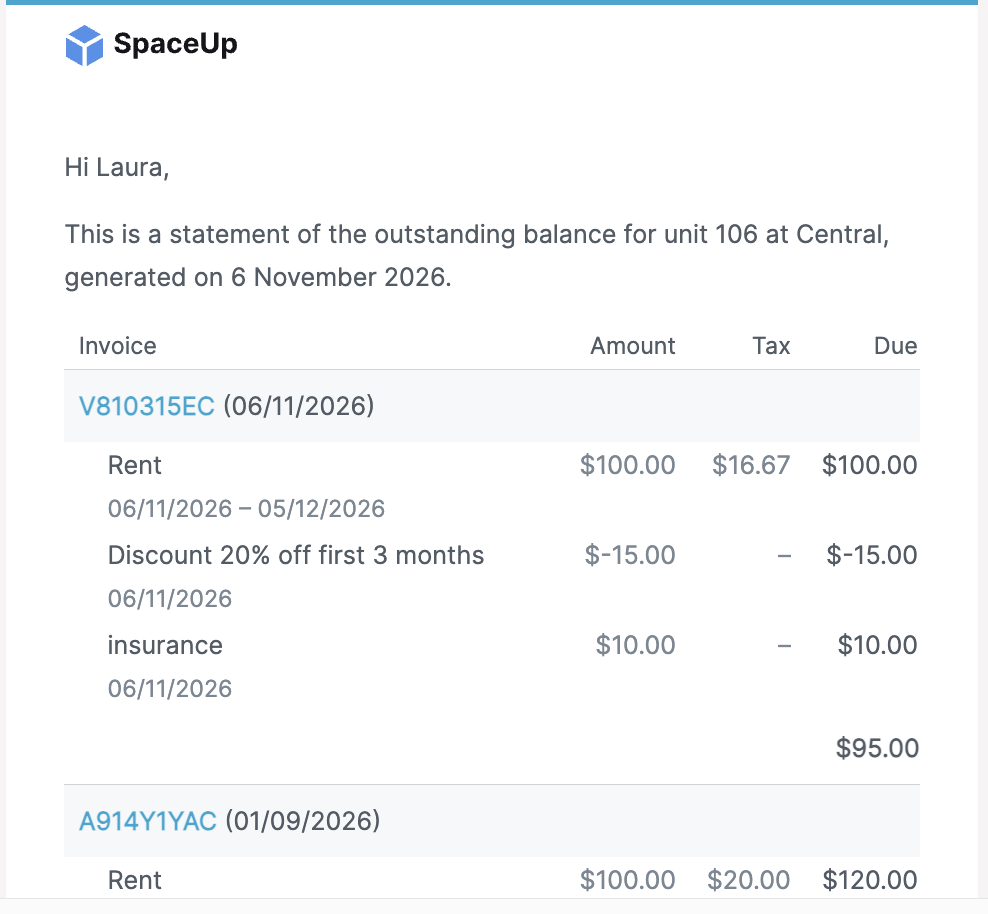
Note: Lien requirements vary by region, and Storeganise does not provide legal advice. Check your region's rules for what a statement must include and how you must deliver it.
What an account statement includes
The statement lists every unpaid invoice on the unit rental and breaks each one into its individual lines. For each line the statement shows, when applicable:- The description, for example rent, late fee, or overlock fee
- The billing period
- The quantity and unit amount
- The tax on that line
- The line total
Send an account statement
Send the statement from the unit rental, so the customer receives it by email.- Open the unit rental.
- Click the Invoices tab.
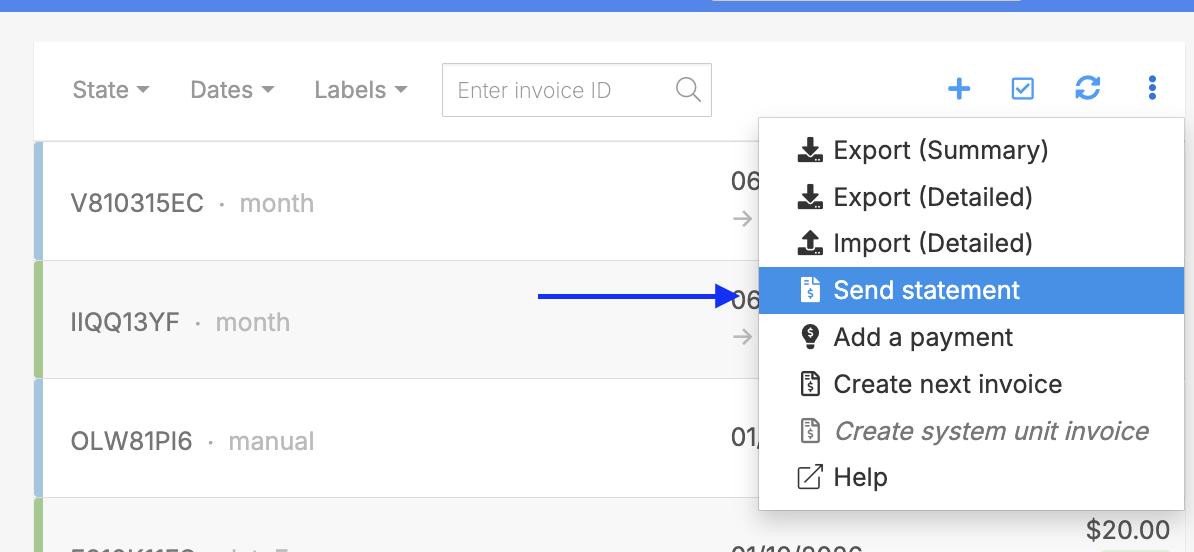
- Click the three-dot menu, then click Send statement.
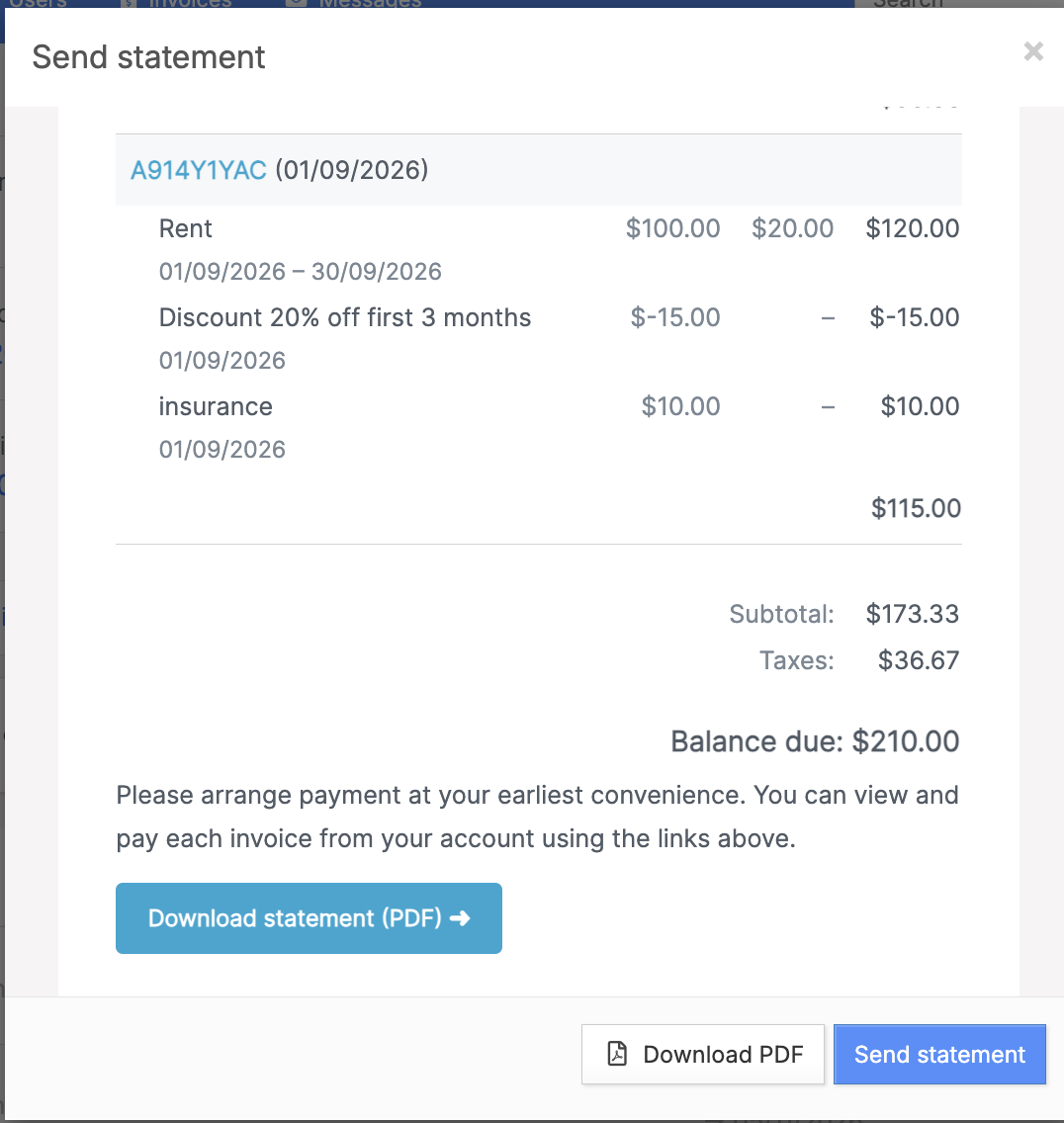
- In the Send statement window, review the preview of the statement.
- Click Send.
Download the statement as a PDF
Download the PDF when you need a physical copy for postal mail or for your records. You can download it without sending the email.- Open the unit rental.
- Click the Invoices tab.
- Click the three-dot menu, then click Send statement.
- In the Send statement window, click the download button to save the PDF.
- Close the window if you don't want to send the email.
What your customer receives
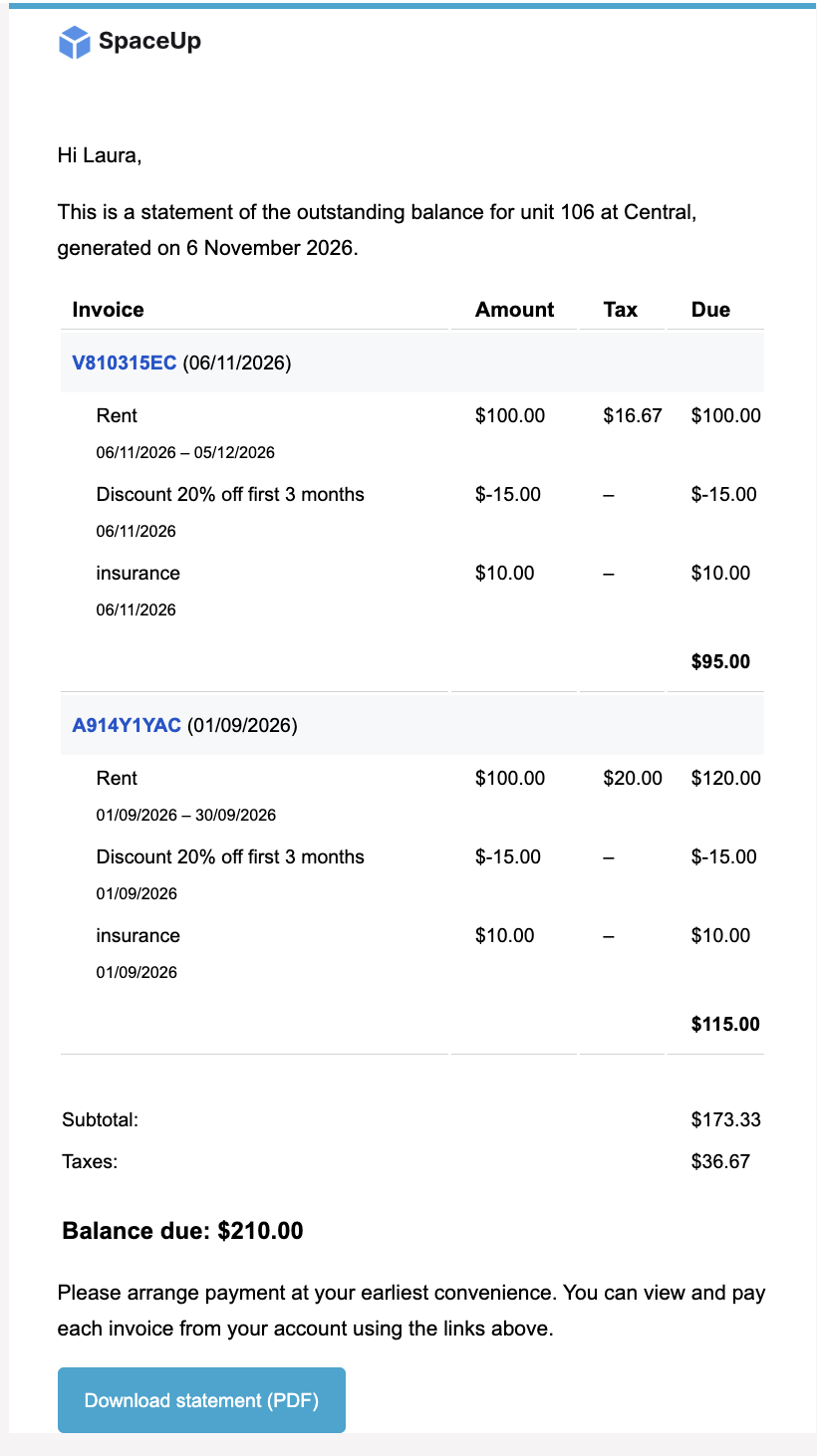
The customer's email includes a Download statement button. When the customer clicks it, the PDF opens without requiring a login. This works the same way as invoice links.The link stops working once the balance is paid. If the customer clicks it after paying, they can no longer open the statement.Use account statements in the lien process
The itemized layout gives you the breakdown that lien notices require in many US states: what is owed, line by line, with tax shown on each line. See - Managing the lien process for the full lien workflow in Storeganise. Download the PDF to attach to a mailed notice, and keep a copy as evidence of the amount owed on the date you generated it.Jump to
Related articles
Email settings
Managing delinquency and the lien process